

This is a quick post about another non-quick rabbit hole.
This Wireshark plugin sits on the same PC as SavvyCan and sniffs the interaction between SavvyCan and an ESP32RET CANbus sniffer. It uses the Wireshark SocketCAN format to expose the GVRET can packets to further Wireshark dissectors such as ISO-TP etc.
If you’re just after the code, then its here:
https://github.com/Purplemeanie/wireshark_packet_gvret.git
The README.md file on GitHub give more technical detail and some help with building and installing the plugin – at least on a Mac ¯\_(ツ)_/¯
TLDR;
As part of my Project sEVen EV conversion, I’ve been playing about with CANBuses a lot. And in the previous post I talked about getting a CANBus sniffer working on an Adafruit ESP32-S3 TFT board, with some graphics.
Well towards then end of that ESP32 project I decided to get into a long-wished-for-but-too-lazy-to-go-at project of getting a CANbus dissector working on Wireshark.
I’ve done some CANBus stuff in Wireshark before and in 2019 (I think) even got a patch accepted into the core Wireshark CANBus dissector – it wasn’t handling extended CAN ID’s properly at the time.
So, I’ve got a bit of a track record with CANBus and Wireshark.
But, unless you want to fork out some money for a dedicated CANbus sniffer, there’s not really a way of getting CANBus data sniffed into a Mac. There are SocketCAN interfaces on Linux, but I tend to work mainly on Mac’s these days so wanted a way of getting CAN frames into Wireshark so I could watch live traffic with all the fancy filtering and plotting that Wireshark can do.
Side note: it’s a sorry day when Ethereal turned into Wireshark and they stopped selling their T-shirts. I had, and loved, their “Ethereal – Sniffing the glue that holds the internet together”! 🤣
Back to the topic of this post though. I had a few home grown and open source packet sniffers lying around. And they connected to the SavvyCan.com packet analyser, so I could poke around at what was going on on the bus.
But I find SavvyCan a bit limiting. Don’t get me wrong, SavvyCan is awesome (thanks Colin). It’s great for reverse engineering stuff you don’t have the documentation for, but I wasn’t finding it useful for working out sequences of events. My EV project has lots of devices sat on a CANbus, many of which require complex configuration sequences with many many CANbus messages and fields within the messages. So I just wasn’t “getting” SavvyCan for that sort of workflow.
(BTW… I’m probably going to interchange CANBus frames, packets and message with gay abandon. Don’t shoot me!).
So a packet reverse engineering tool, like SavvyCan, is great, but not totally what I need.
Wireshark
And so to Wireshark.
Wireshark does understand CAN. But it does so in a rather unhelpful set of dissectors when working on a Mac. (I really should go and checkout the SocketCAN support on a Mac again 🤔)
Therefore, my plan was to have my ESP32RET packet sniffer, sending GVRET packets over TCP to SavvyCan, and for Wireshark to sniff the packets as they are sent to SavvyCan.
One of the advantages of that approach is that SavvyCan can do all the configuration of the ESP32RET Sniffer and Wireshark can just watch, and sniff… Wireshark is good at sniffing packets, but it’s not very good at controlling other devices.. I.e. generating rather than sniffing. So it worked well to leave that to SavvyCan.
So… my Wireshark sniffing will only work if it’s sat on the same computer as SavvyCan is running on… for the moment!
But Wireshark doesn’t know any of the protocols that SavvyCan talks. Especially not the GVRET protocol that ESP32RET uses.
And so the first part of my project is to get Wireshark to decode GVRET packets sent over TCP.
The next part of the project would be to then get Wireshark to further decode those GVRET packets and disect them into Brusa BDC668 CANBus messaging – breaking out all the voltages, currents, error flags, statuses and modes… etc. See later in this post.
GVRET Wireshark Dissector
And so to ChatGPT again. As I’ve said above, I’ve worked with Wireshark code in the past. I know how to compile it, debug it and make changes. But that took weeks of learning, though those weeks were spread out over the past 20 years of using Ethereal and now Wireshark. And I didn’t want to spend weeks on this project. So… I use ChatGPT to speed the process up. It doesn’t get everything right, and there are endless iterations as you get it to home in a solution, but for the complexity of this project it was a massive speed boost. There I said it! I use AI to write code!
Back to the point. Between ChatGPT and myself we got a GVRET dissector plugin created. At the moment the plugin has to be built “in tree” meaning you have to build it inside the Wireshark directory structure. I did try “out of tree” building, but “we” failed. I may come back to that at some point but for the moment that’s a problem for future John and what I have is definitely “Good enough TM”.
You can find the basic files here: https://github.com/Purplemeanie/wireshark_packet_gvret.git
Instructions on the basic idea of building this plugin can be found in the README.
Note: this is now CAN dissector (it wasn’t in the first commit). It now creates a GVRET and CAN protocol that further CAN dissectors can pull apart.
Note2: if you’re looking to do this sort of thing then I can say that I first created a LUA script of the GVRET protocol to make sure I could iterate quickly to a working dissector. It was then a lot easier to go to a .c/.so plugin once that was all working.
BDC668 Wireshark Dissector
Now this is probably what I was really after.
I wanted a way of showing the messaging going to, and coming back from, the big Brusa BDC668 DC to DC Converter that I have in my project. And further along in the bigger EV conversion project I’ll also want to decode all the traffic to and from the Helix CTi4 inverter. But for the moment I’m going just with the 668 messaging.
And so it was back to ChatGPT again. This time to create a LUA script that acts as a Wireshark dissector for the BDC668 CANBus messaging.
First of all I got CANMatrix to generate a LUA script from a DBC file I have from Brusa. This gave me the basic CAN ID’s, fields and flags that I needed. But that didn’t work straight away in Wireshark.
Between ChatGPT and myself we then set about fixing the problems with the basic port of the DBC file, as well as adding all the scaling and offsetting needed to turn the raw CANBus fields into voltages, currents etc. We also converted all the states and modes into textual fields to be displayed in Wireshark.
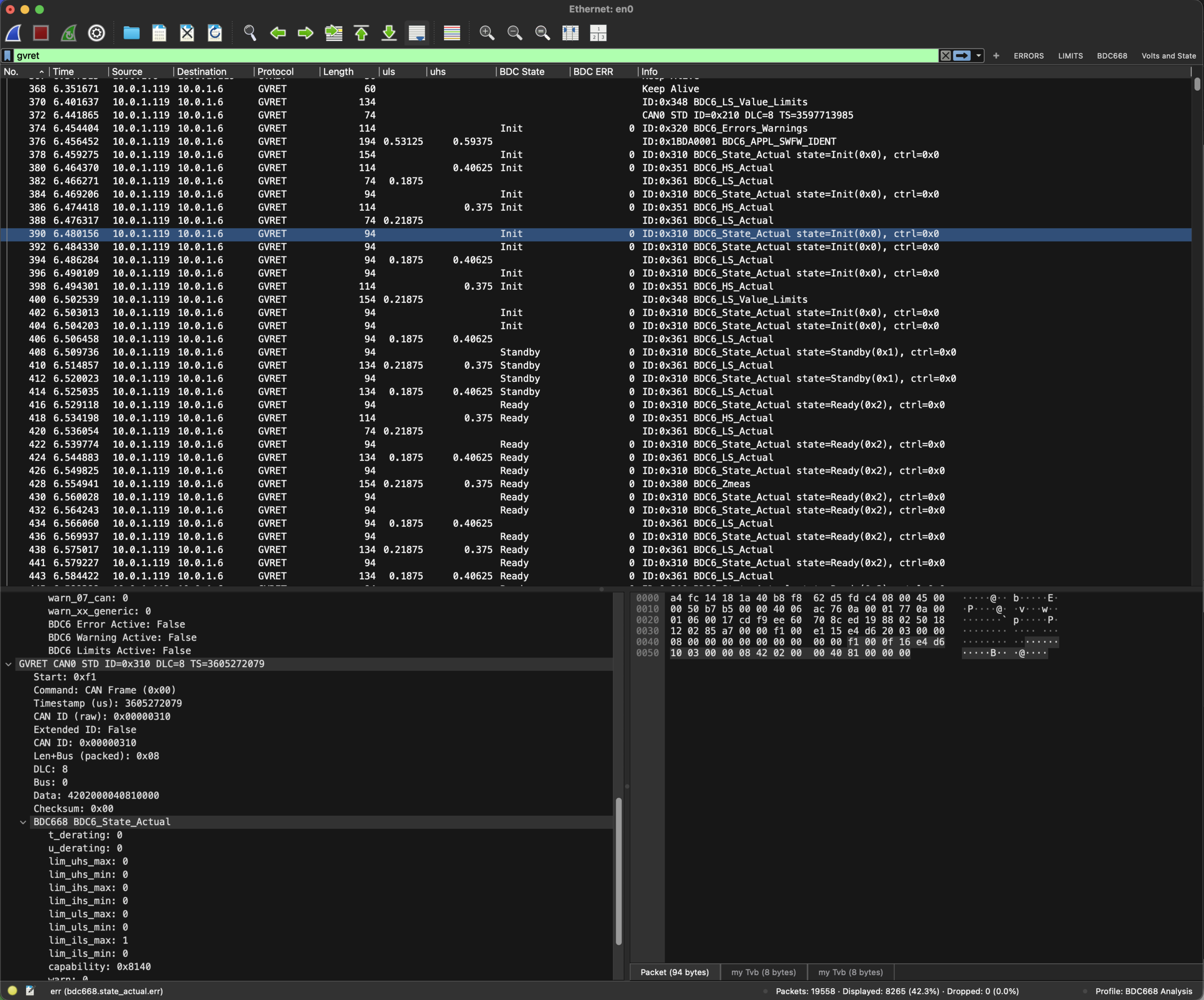
Unfortunately, I can’t publish this LUA script as the contents are covered under an NDA. But here’s a screenshot of it in action.
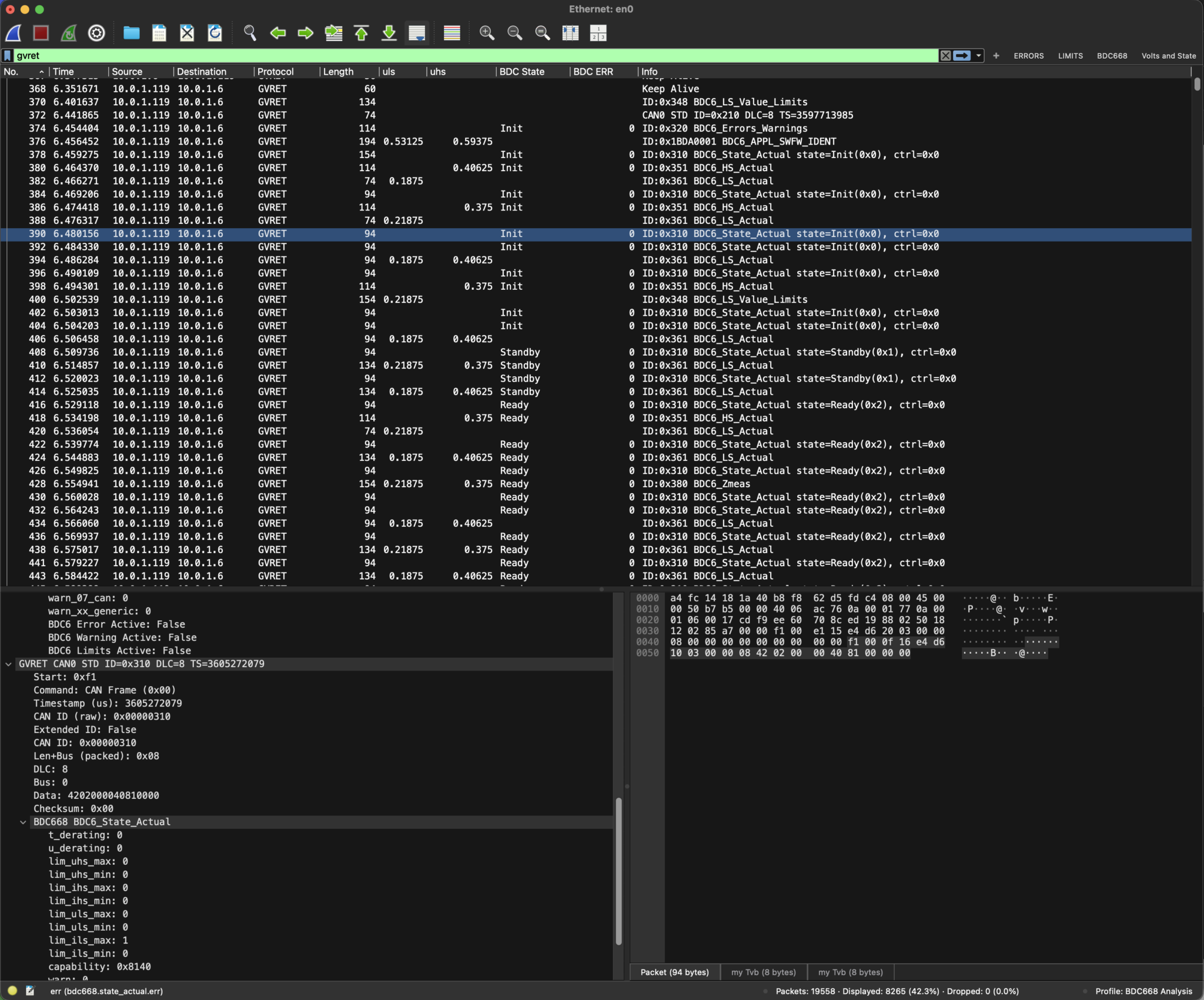
And there we go. That probably took about a week of work to get the GVRET dissector plugin and then the BDC668 messaging stack LUA script going.
One thing I nearly got into but didn’t quite (yet), is to switch the ESP32RET project over to doing UDP rather than TCP. One of the limitations of the setup I have is that when the wifi stack on the ESP32RET device gets busy, its concatenates GVRET frames together so I get a compound frame arriving in Wireshark. Meaning I have many different BDC668 messages in the same Wireshark window/frame/buffer. So looking at what’s going on is less intuitive. I tried to force ESP32RET to send more often (and therefore less compounding), but I failed so far. And one solution to this problem would be to use UDP rather than TCP as the transport – making sure to send one CANBus frame per UDP packet. I’m on a high speed Wifi… so I probably won’t get a lot of loss that TCP is typically protecting against (again I spent 30 odd years sending audio and video over UDP… I think I understand some of the problems and pitfalls there 😉 ). And of course one CANBus frame per UDP packet would be a lot of overhead (UDP headers etc), but for what I want to do, it probably would be ok. But that’s for future John to worry about… it’s mostly working fine as it is now!
This is still early days on these two dissectors, but I thought it would be useful to document a bit of the process before I get bogged down in the stuff.
Happy Blatting, J

Leave a Comment